
If you’ve created a VM recently in an Azure region that doesn’t support Zones, you might have noticed that Availability Sets aren’t showing up as an option for the high availability needs for your server. That’s because Microsoft is hiding the option from you. It is still there, but it’s not available in the current interface.
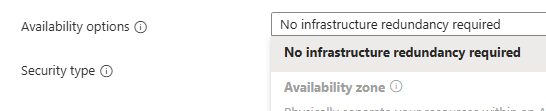
To use Availability Sets, click the link in the blue bar at the top of the VM Creation page to use the older Create VM experience.

On this page, you’ll see the option for an Availability Set listed, and you can select it, then select the Availability Set that you want to use to put the VM in.
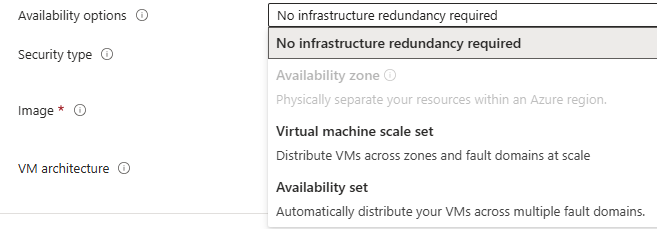
So why is Microsoft hiding this very important option? I’m not really sure, but I can take a wild guess that they are looking at removing this feature from Azure (why else would you remove the feature from the portal).
I’d implore Microsoft to keep the feature around (if this is, in fact, the plan) as Availability Sets are the only real HA option that we have for database servers in regions that don’t have Availability Zones.
We can’t use scale sets, as the databases would become out of sync, with some records being written to one node and some records written to the scale-out node. Then, when the scaled-out nodes are removed, the records written to those nodes would be lost. Not exactly a good position to be in for a database tier. And if we’re in a region that doesn’t support Zones, that’s it; that’s our High Availability option. And it’s now buried in a way that makes it look like the feature is going away.
Denny